





Manage Fleet
Organize and view detailed info of fleets from the Manage Fleet menu.
2_CEqGQGd.jpg)
Switch fleet formation and position from Manage Fleet.
You can also check your current fleet's skills, effects, expertise and the available language for all allies aboard the ships.
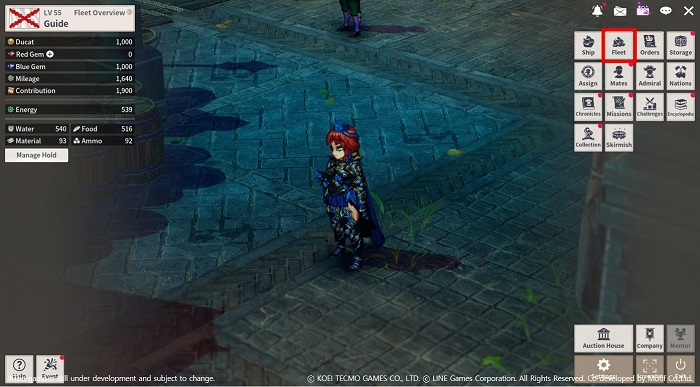
Manage Fleet can be accessed through [Menu] → [Fleet].
1) Fleet Formations
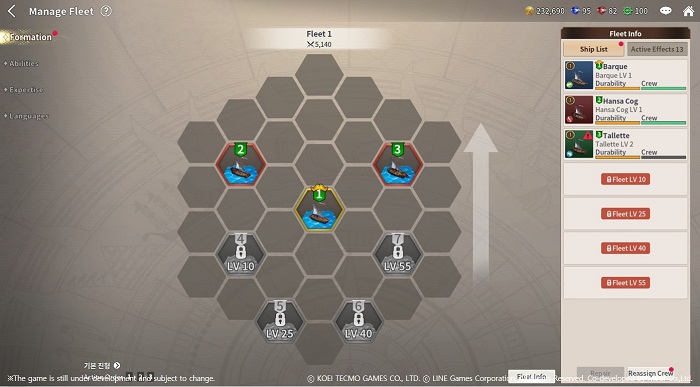
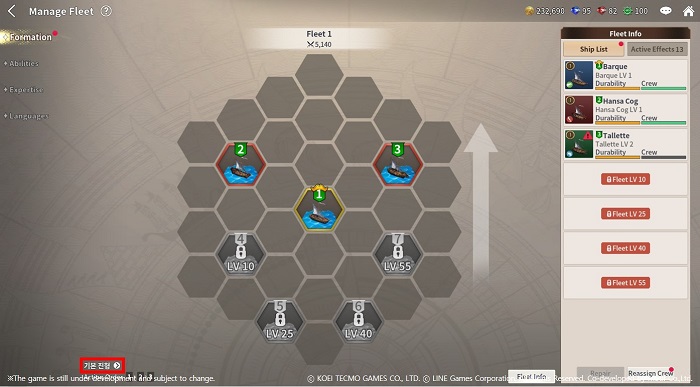
View and edit the current fleet's formation and position.
You can also repair ships and redistribute the number of crews on each ship from here.
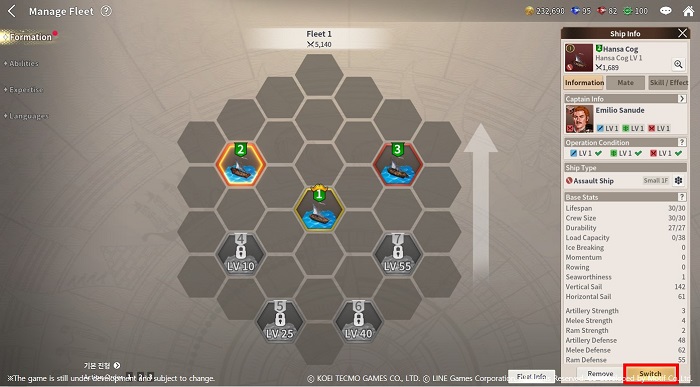
In order to change formation, select the ship you wish the move and then
select the Switch button at the bottom-right side of the screen to select the ship you wish to switch positions with.
Ship #1 is the flagship of the fleet, and the admiral is assigned to the captain’s cabin of the flagship.
Position the flagship carefully because any battle can be lost if the flagship sinks.
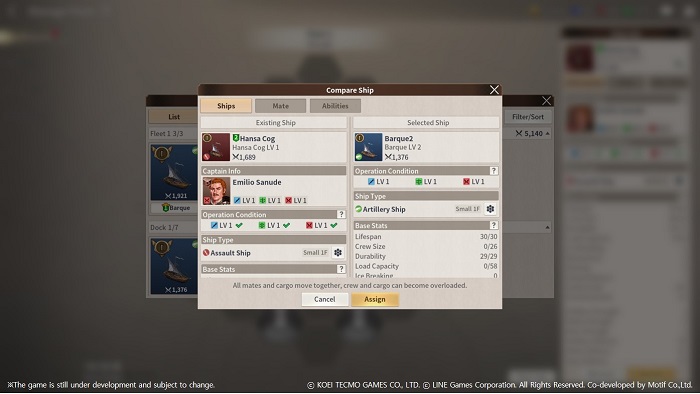
To change the formation of fleets, select the Formation button on the bottom-left side of the menu.
All new formation besides the basic ones require paid currency to learn,
and each formation has a different front, middle, back line effects.
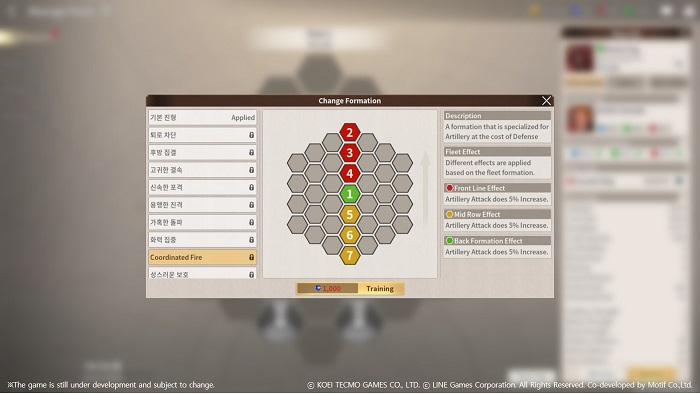
2) Abilities
View all of the skills and effects of all your allies applied to the current fleet from the Abilities menu.
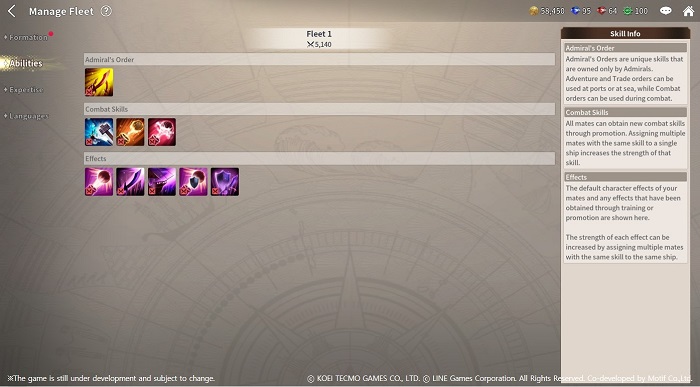
Admiral Commands are unique skills that can only be used by the Admiral of a fleet
and its LV are not added together with other allies.
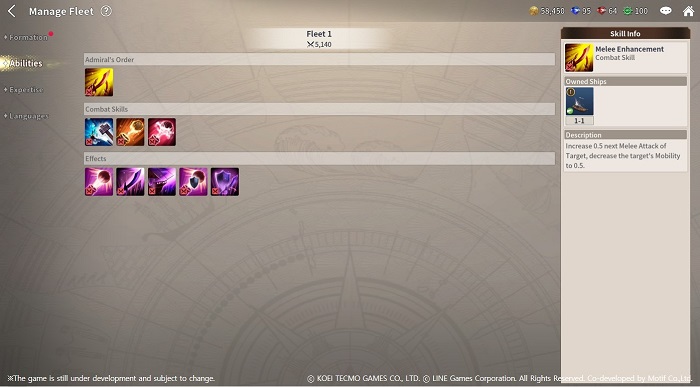
When there are more allies within a fleet with the same skill, the entire fleet's Skill LV is increased.
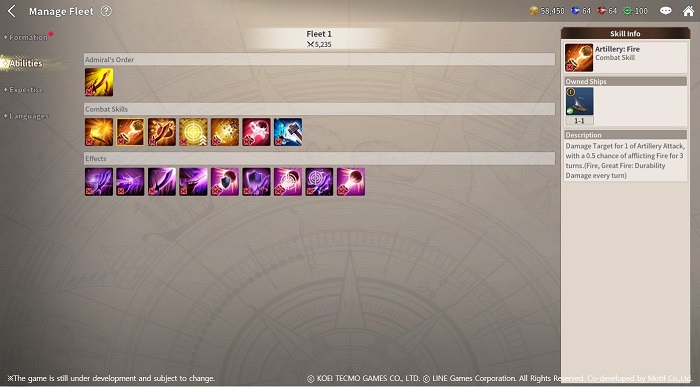
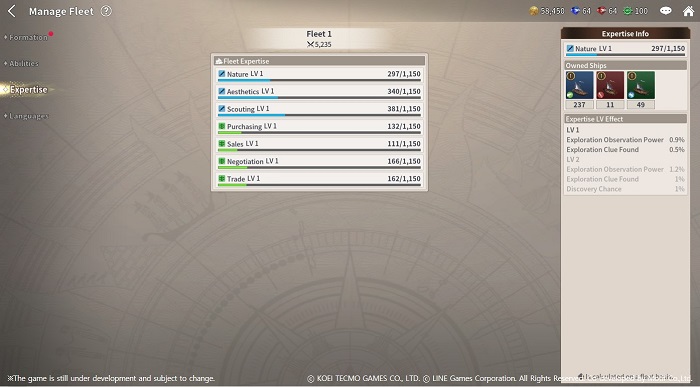
3) Expertise
The fleet’s Expertise LV is determined by summing up all of the expertise owned by mates on board the fleet.
New skills and effects become available at higher Expertise LV.
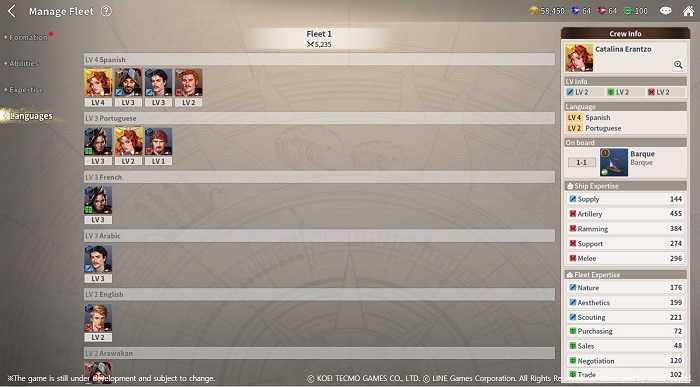
4) Language
View all of the languages available by mates on board the fleet.
More benefits are available at ports when mates with higher Language LV are on board.
Move to the Login page?
Move to the login page?
두줄일떄 텍스트
등록한 상품 바로가기(링크)두줄일떄 텍스트
등록한 상품 바로가기(링크)두줄일떄 텍스트
등록한 상품 바로가기(링크)Your Game ID (NID) can be found in your game profile or settings.