





Enter into the Endless Possibility!
Hello, Admirals. 🐥 This is GM.
Through the December 2025 regular maintenance,
a new “Quick Tool Use” button has been added,
allowing you to use items stored in your Storage even faster!
Since this is a new feature, some Admirals may be wondering how to use it,
so I, GM, have personally prepared a Quick Tool Use guide for you! 🐥✨
Please check the detailed information below!
* This guide is based on the information as of Wednesday, December 17, 2025, and is subject to change.
* he attached screenshots were taken in a test environment to assist your understanding and may change upon update.
📌 What is Quick Tool Use?
🐥 Quick Tool Use is a feature that allows you to use various items—such as consumables,
request forms, food, and potions—directly from the game screen without opening the Storage!
📌 How do I use Quick Tool Use?
🐥 You can access Quick Tool Use by selecting the box-shaped icon located in the middle left side of the screen!
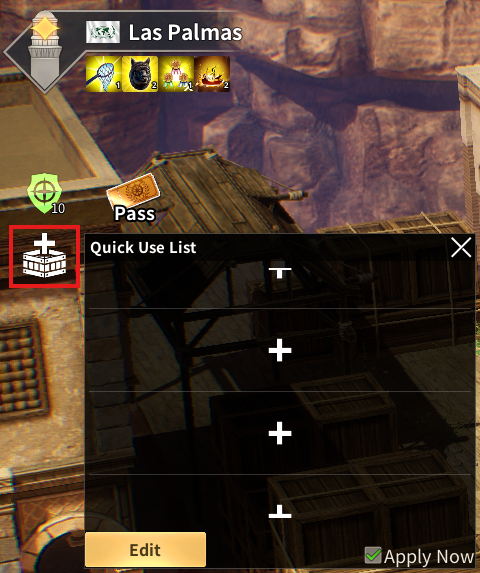
🐥 Once you’ve pressed the Quick Tool Use button, you’ll need to register which items you want to use quickly!
Try pressing the Edit button to begin registering items for quick use!
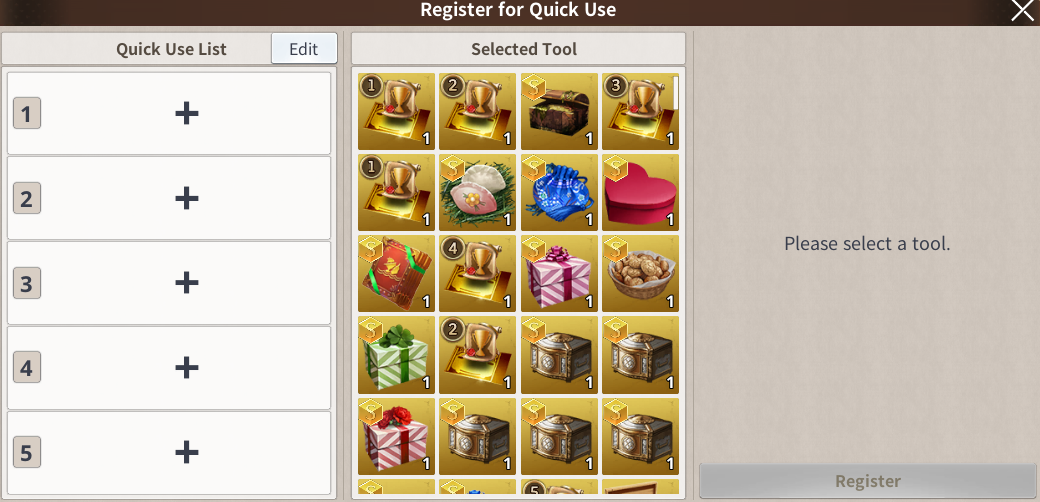
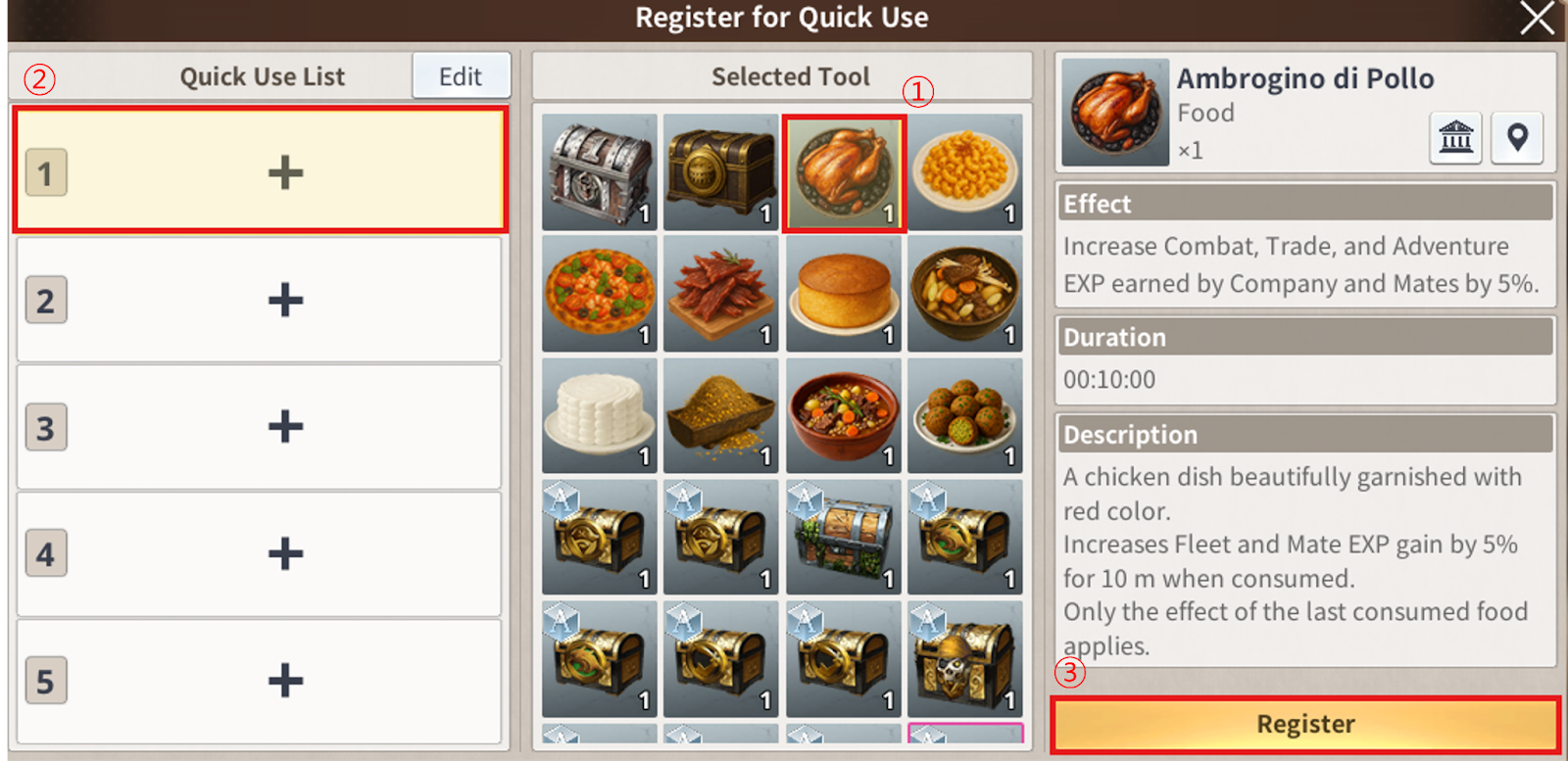
🐥 After selecting the item you want to use quickly, simply click the desired slot to register it!
🐥 Ta-da! Once you register an item, it will immediately appear in your Quick Use List!
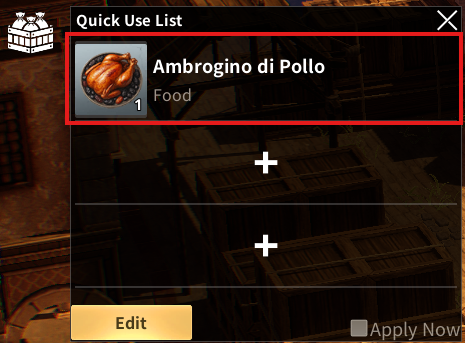
🐥 Now, by selecting an item from the Quick Use List, you can use it right away without opening the Storage!
Oh, and if you want to remove an item from the list or change its order,
just go to the Quick Use registration page and press Edit Quick Use List!
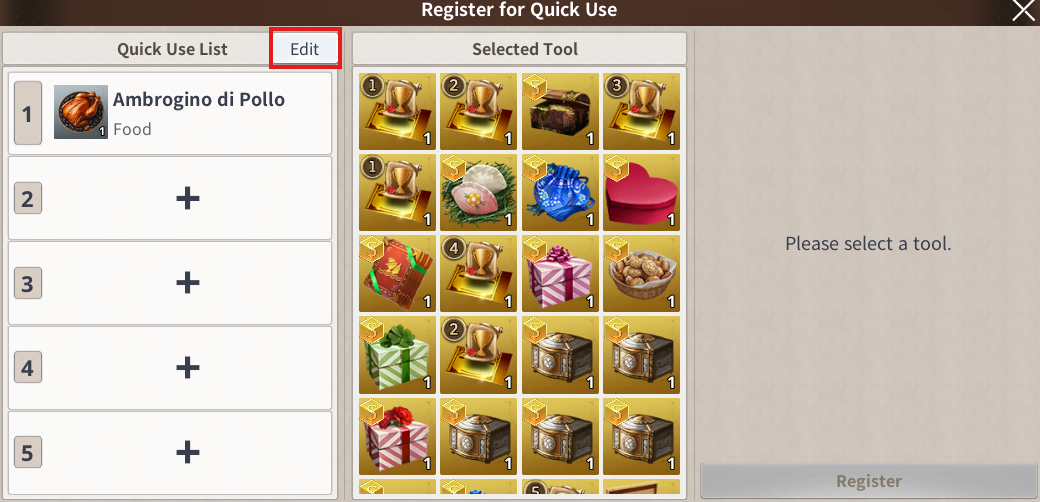
🐥 You can change the order of the items registered in the list or remove them as needed~
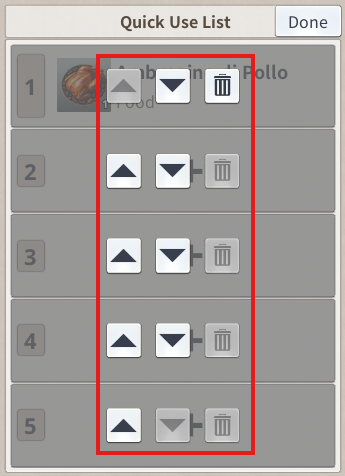
📌 How should I use Quick Tool Use effectively?
🐥 First, make use of the Apply Now feature!
After selecting the Apply Now button, choose an item—
then you won’t need to press the Use button separately.
Just review the effect or the selected item, and press OK to apply it instantly!
We hope you try using the Apply Now feature for an even more convenient experience!
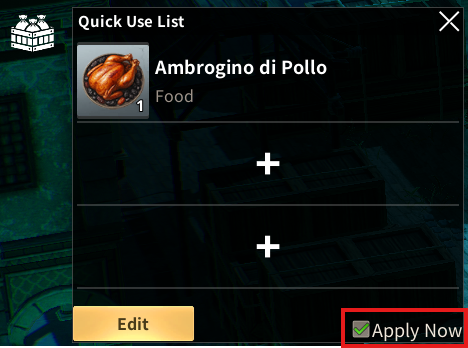
🐥 Second, register the items you use most often based on the situation!
If you add frequently used items like Action Point Chests or food,
you can use them quickly anytime — it’s super convenient!
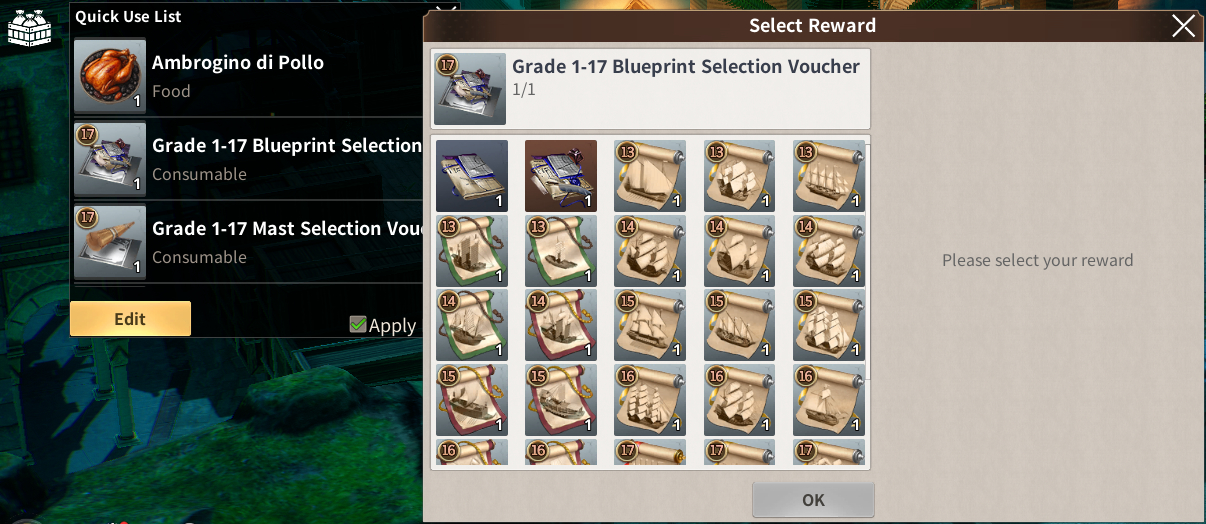
Also, if you register the Ship Material Selection Chest in your Quick Use List,
you can choose the ship materials you want without opening the Storage,
which is incredibly helpful when building ships! +ㅁ+
Admiral, now you’ll be able to use your tools so~ much faster, right?
I’ll always be here out on the sea, waiting to help make your voyage more convenient! 🐥💨
Well then, see you again in the next guide!
Move to the Login page?
Move to the login page?
두줄일떄 텍스트
등록한 상품 바로가기(링크)두줄일떄 텍스트
등록한 상품 바로가기(링크)두줄일떄 텍스트
등록한 상품 바로가기(링크)Your Game ID (NID) can be found in your game profile or settings.