




Shanatus1, Atlantic Ocean, 1695519160445023121
When I first started I tried to make a fleet that was best at everything. It was frustrating feeling like I couldn't get my adventure ranks or trade ranks high enough because I was focused on combat. Then I realized how to use "Assign", and it made the game much more enjoyable.
One of the most confusing but important menu buttons is "Assign". Assign allows you to set up fleets for different jobs, and then switch them instantly. For example, you can have your fleet with your fastest ships, maxed Ice Breaking to allow you to sail easily through the artic waters, then with the touch of a button change to your trade maxed crew to allow you to barter for max profit, then instantly change to your maxed combat skills to take on special event enemies in the area. A few things I didn't realize at first:
- This allows you to preload the skills. So you can set up all your best combat skills on all your mates, then instantly change to adventure skills to search for discoveries. When you change from one load out to the next, all your skill selections change as well!
- Your ships and their parts change. Now you can switch out the load out of all your ships instantly. (make sure to "lock" any parts so you don't sell them or combine them).
Assign was confusing at first, but now that I'm used to it, it's easy to use.
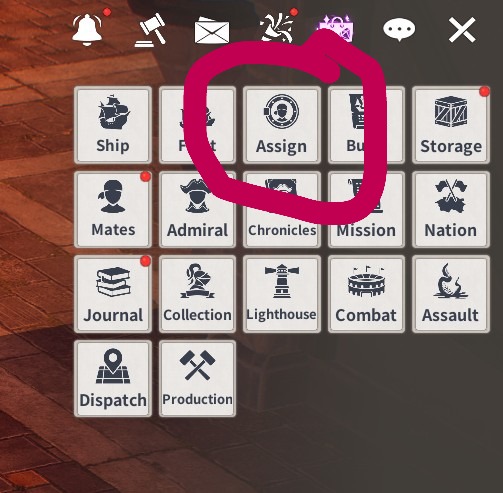
First, click Assign:
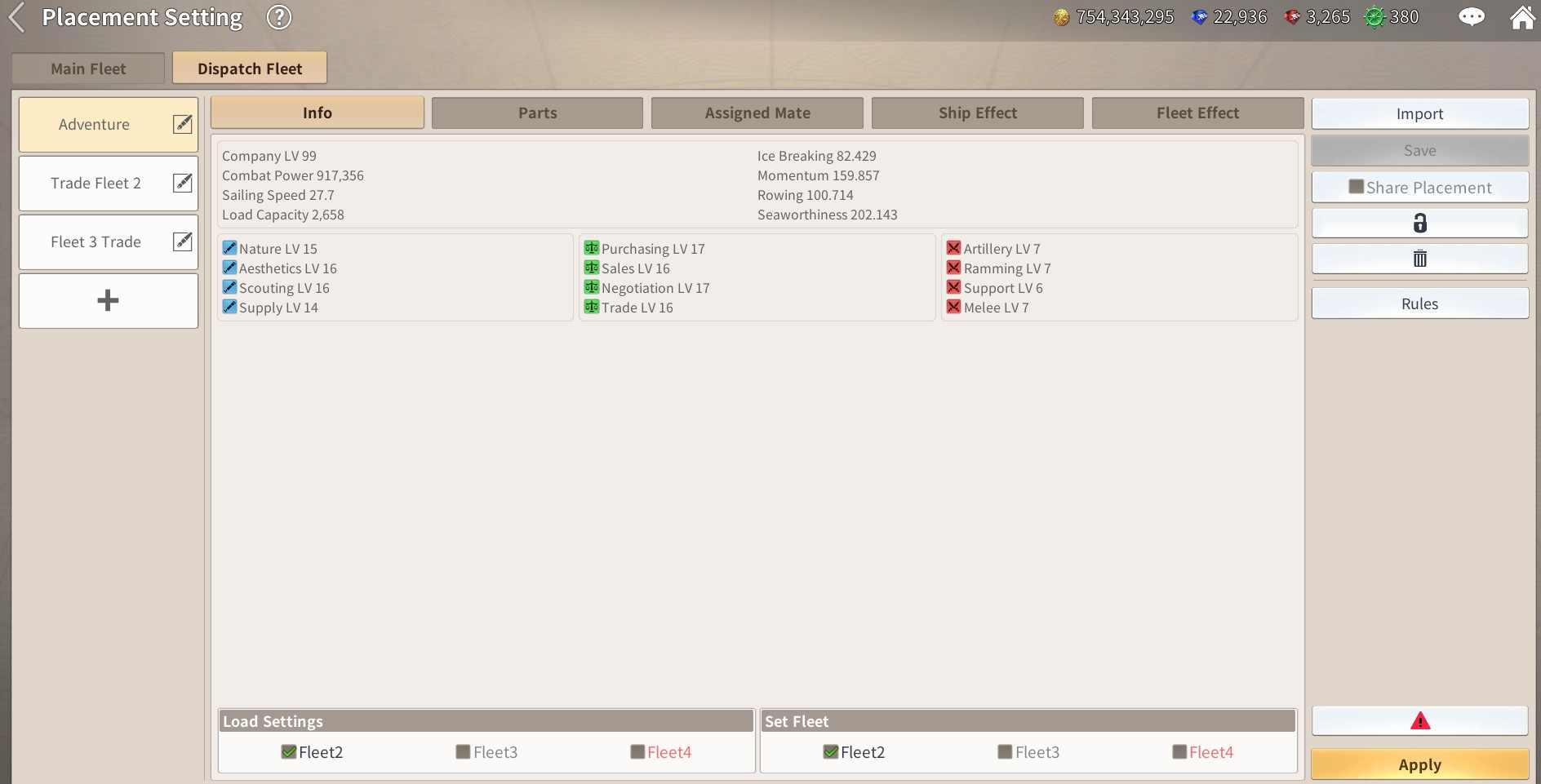
First, the left side are your different fleet configurations. You'll want to name them in a way that makes sense. Make sure you are working on the correct fleet.

After naming your fleet. Go ahead and get your current fleet exactly the way you want it. The specific ships, mates, ship items, mate clothing, and mate skills. Get everything perfect. Then click the "Import" button.

Now, very important! Once you "Import" the configuration, click "Save" just below the import button. This saves the current setup. Below that is a lock you can use to avoid mistakenly over-writing your new fleet. A good idea to use this. Your load ratio is how you want them to have their load of cargo configured. Make sure to use this. Don't want to go into combat without cannon balls.
Once you've saved the fleet, go back make a new fleet name, for example, your Adventure Fleet. Change out your ship, skills, mates, parts, and so on. Once you have it the way you like it, go to the fleet you named Adventure, click import, then save.
Finally, when you want to change your fleets configuration, just click the fleet you want, and then click Apply in the bottom right. This changes everything to the saved configuration.
Two more things. You can also set up the configuration of your dispatched fleets (see below). Very helpful when changing between combat, trade, and adventure missions. Also important, in the image below you will see a red ! on the lower right side (see below, lower right). Something is not available. Maybe you have a needed mate assigned on a dispatch fleet, you sold a ship, or you have a dispatch fleet with parts assigned to your load-out. You won't be able to load your configuration until those parts are available, and if you sold it, you may have a problem. It's a good idea after making changes to your fleet, to remember to load the new fleet, or you'll have to do all the work over again.
Move to the Login page?
Move to the login page?
두줄일떄 텍스트
등록한 상품 바로가기(링크)두줄일떄 텍스트
등록한 상품 바로가기(링크)두줄일떄 텍스트
등록한 상품 바로가기(링크)Your Game ID (NID) can be found in your game profile or settings.