




🐥GM Guide: Ship Inscription [3/17 18:35 Update]
Uncharted Waters Origin880

Hello, Admirals! 🐥This is GM.
Through the March 11 update, a Ship Inscription system has been added
that allows you to make your Extra Large Golden Ships even stronger!
For the day when you can sail across even wider seas!
Please check the details below.
* This guide was written as of 2026/03/11 (Wed) and the contents may change in the future.
* The attached screenshots were taken in a test environment to help
Admirals understand the system and may differ when the update is applied.
🐥 What is Ship Inscription? |
🚢 Ship Inscription is a system that allows you to grant Inscription Effects to Extra Large Golden Ships!
Inscription Effects include various effects that can be utilized in Adventure, Trade, or Combat!
[3/17 18:35 Update (UTC+9)]
Combat Effects are applied individually to Ships with Inscription Effects,
while Adventure and Trade Effects are applied as the sum of all Inscription Effects applied per Fleet.
🐥 How to Perform Ship Inscription (Convert Effect – Beginner Guide) |
🚢 Shall we take a look at how to perform Ship Inscription?
Ship Inscription can be carried out by using an Inscription Certificate or through “Convert Effect”!
First, we’ll explain how to perform Inscription using Convert Effect.
* The method for performing Ship Inscription using an Inscription Certificate
will be announced in a separate notice after the button is activated in the future.
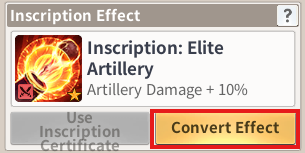
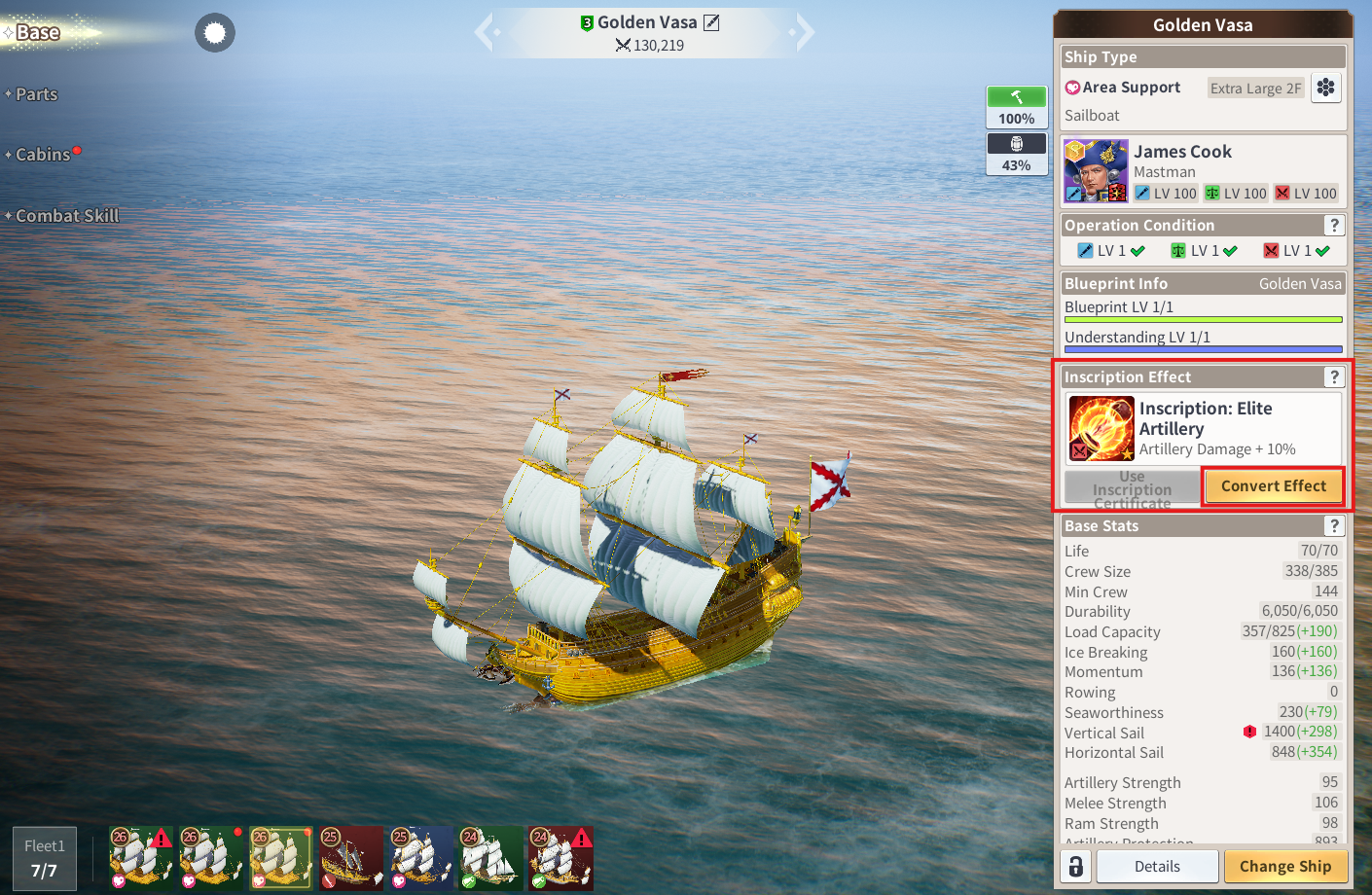
🚢 From the [Menu - Ship - Base] tab, select the Extra Large Golden Ship you want,
then press the “Convert Effect” button located in the center on the right!
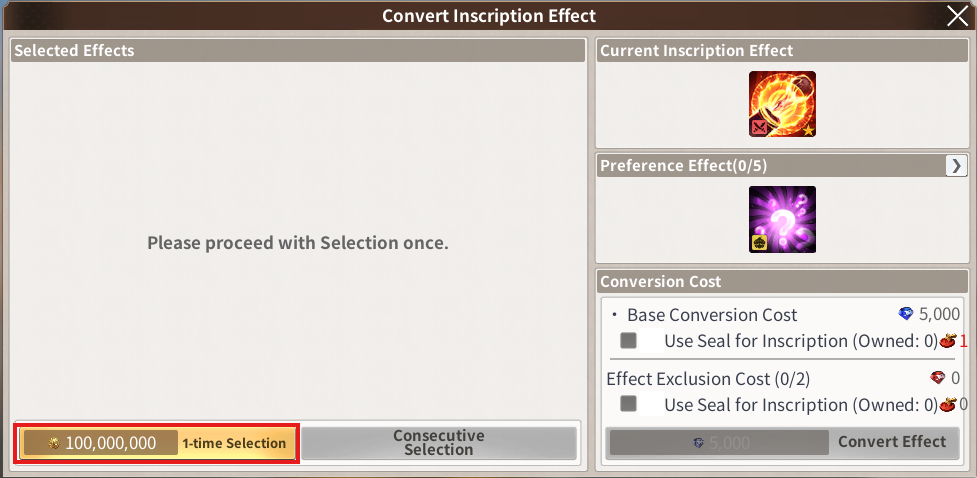
🚢 Ship Inscription is content where one effect is applied based on probability from five Selected Effects.
Press the “1-time Selection” button to select the effects!
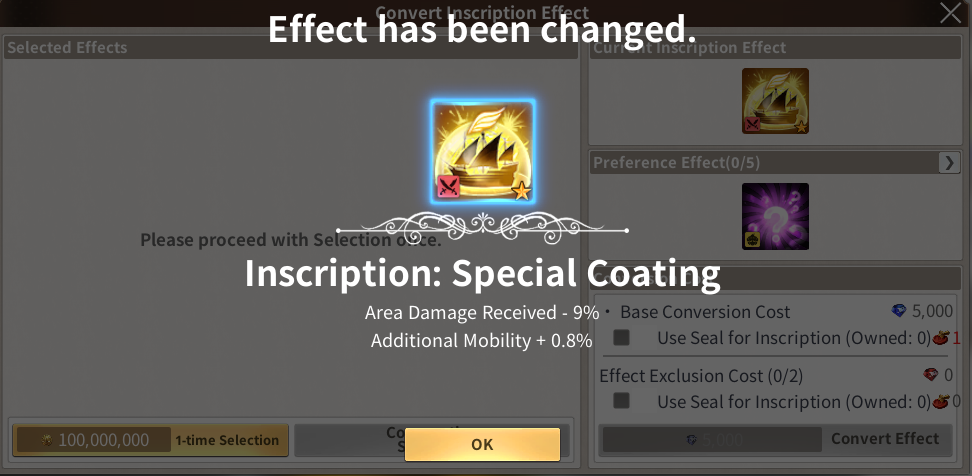
🚢 Once 1-time Selection is performed, five Selected Effects will be displayed!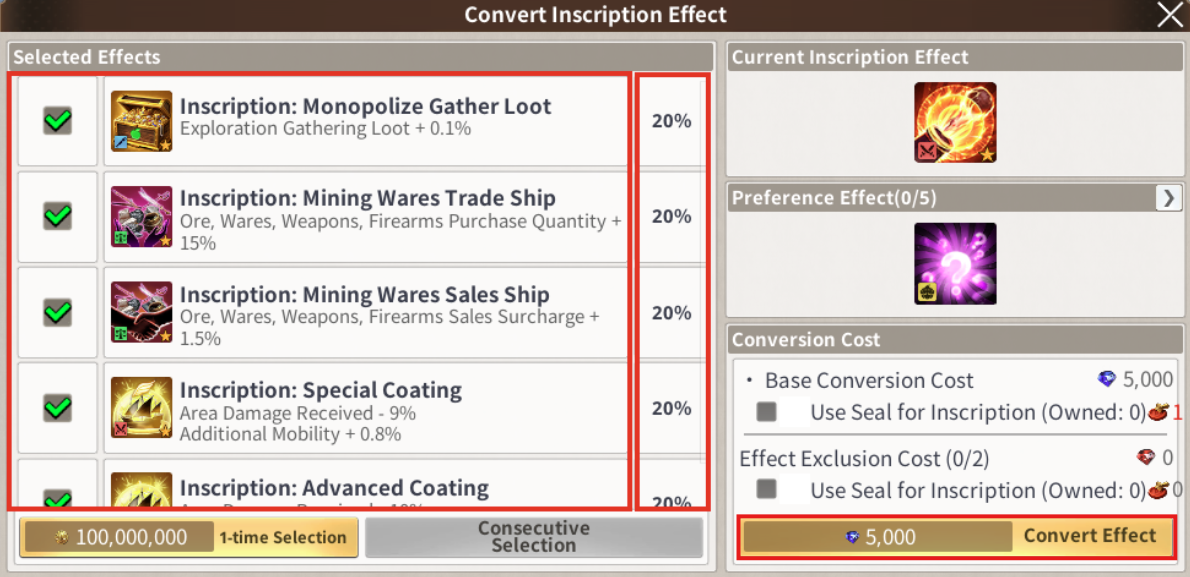
🚢 After that, when you proceed with “Convert Effect”,
one of the effects will be Inscribed on the Ship
according to the probability shown on the right!
🐥 How to Perform Ship Inscription (Convert Effect – Advanced Guide) |
🚢 Did you check the basic process through the Beginner Guide?
Then now we’ll show you how to obtain the options you want a little more easily!
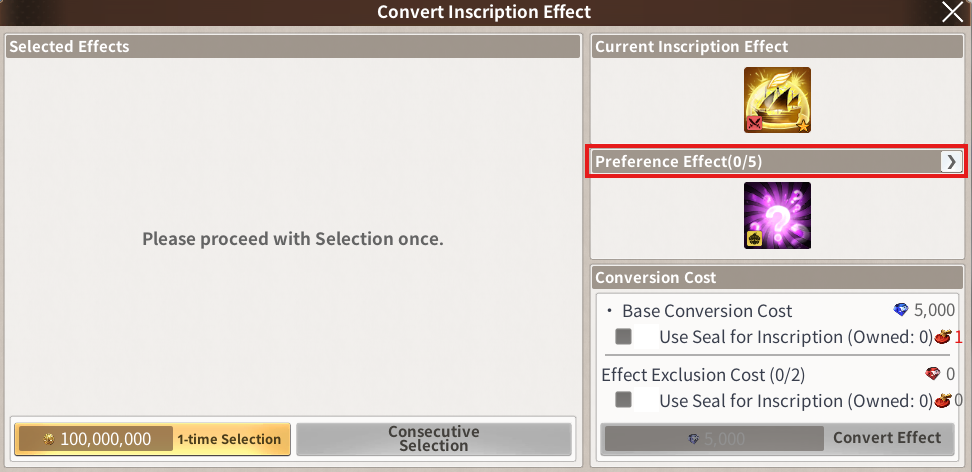
🚢 First, press the arrow button in the Preference Effect tab to move to the Preference Effect selection window.
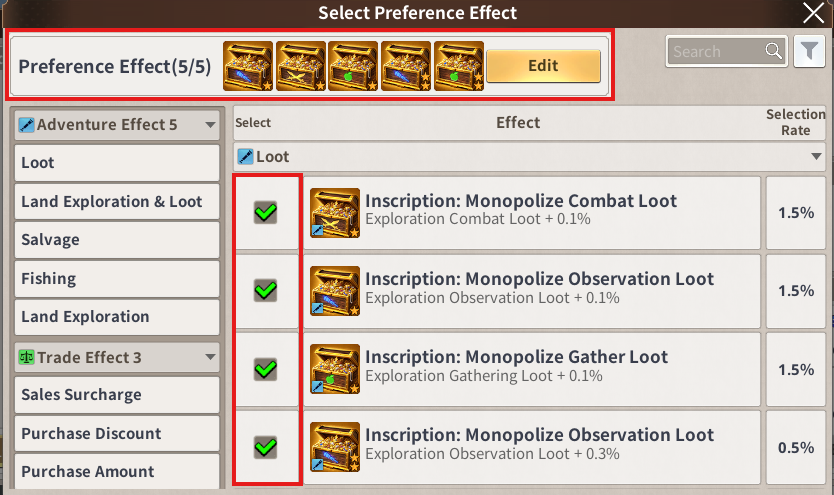
🚢 Here, you can select up to 5 Preference Effects that you want to apply to the Ship!
(You don’t have to select all 5! You can choose only the effects you want.)
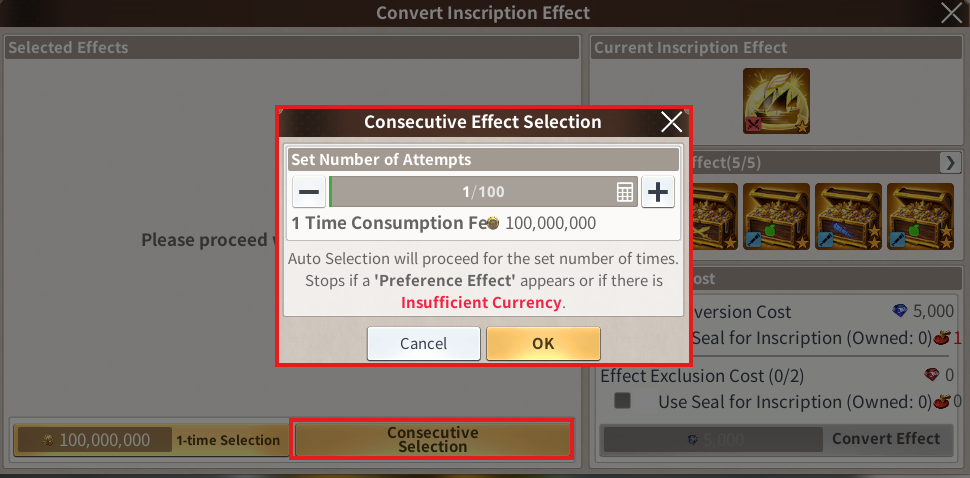
🚢 Once you finish selecting, try using “Consecutive Selection”!
Effect selection will be automatically performed according to the number of times you set,
making it much more convenient to use.
* Consecutive Selection is only available when Preference Effects are set,
so Admirals who want to use Consecutive Selection must select Preference Effects first!
🚢 Consecutive Selection is only available when Preference Effects are set,
so Admirals who want to use Consecutive Selection must select Preference Effects first!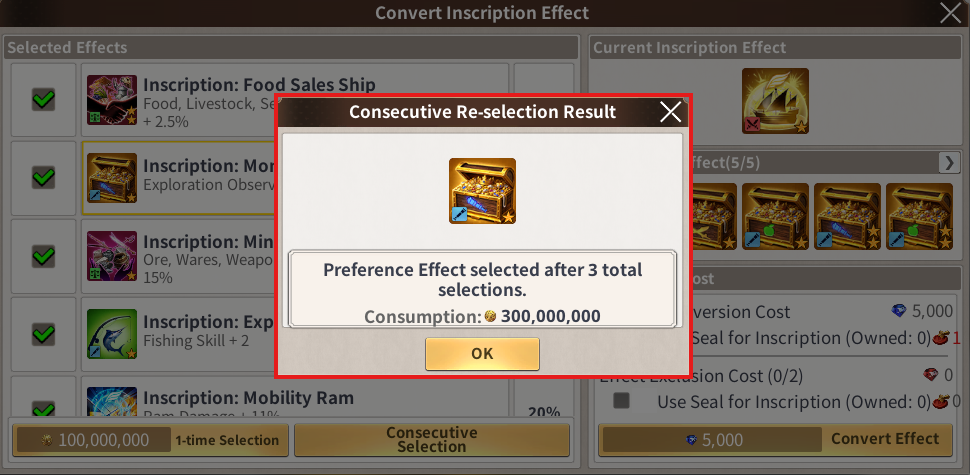
🚢 Did your desired Preference Effect appear? 🎉
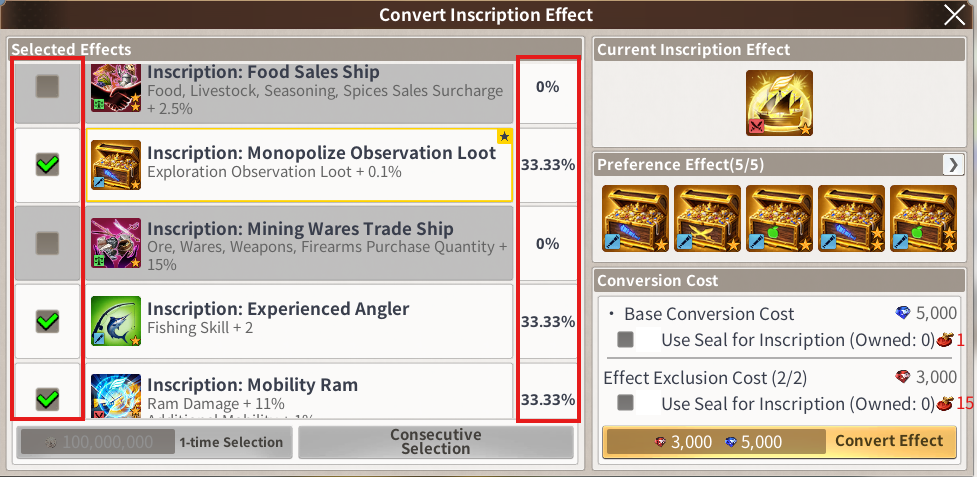
Then try unchecking the effects you do not want among the 5 Selected Effects!
As many effects as you exclude, the Inscription probability will be concentrated on the remaining effects,
increasing the chance of obtaining the Preference Effect you want.
You can exclude up to 2 effects, and please note that additional currency or
items will be consumed during Convert Effect in this case.
🐥 Was GM’s Ship Inscription Guide helpful?
If there is anything else you would like to know or any hidden Inscription tips,
please share them with us in the comments! We look forward to seeing the Admirals’ know-how 📝✨
Thank you.
Move to the Login page?
Move to the login page?
두줄일떄 텍스트
등록한 상품 바로가기(링크)두줄일떄 텍스트
등록한 상품 바로가기(링크)두줄일떄 텍스트
등록한 상품 바로가기(링크)Your Game ID (NID) can be found in your game profile or settings.