



Character Selection Guide After Server Integration
Uncharted Waters Origin
Enter into the Endless Possibility!
Hello, Admirals.
After the server integration, on the integrated Server,
you can select only one character from the characters you used on the existing Server.
We will explain in detail how to select your character below.
Please review this information to avoid any inconvenience while playing the game.
If you selected the wrong character after the server integration,
please stop playing immediately and contact Support with accurate Company information (Server / Company / Account ID).
❗ Recovery is not possible if you created a new account instead of selecting an existing account.
[How to Contact Support for Wrong Character Selection Recovery] 1. Log in to the game 2. Menu (☰) at the top right of the game screen > Settings (⚙️) at the bottom left > Account > Support 3. Select FAQ “Selected the wrong character on the merged server” 4. Tap the 1:1 Inquiry button at the bottom and submit your request including Server / Company / Account ID * Based on the submitted details, recovery will be reviewed internally and, if eligible, will be processed only once. However, recovery may not be possible if there is any game activity record such as Currency usage or item consumption other than login. * For faster verification, please submit your inquiry through the in-game Support where identity verification is possible. * Please note that inquiries submitted via the webpage may have limited consultation support. |
⚓ Character Selection Guide After Server Integration |
📌 How to Use Existing Characters
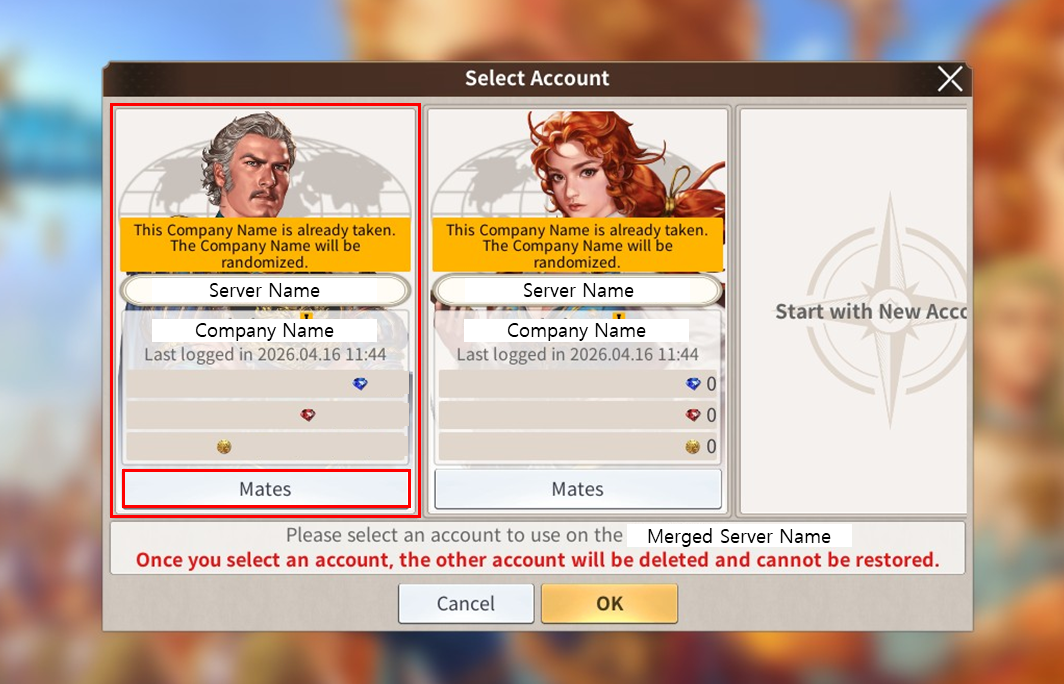
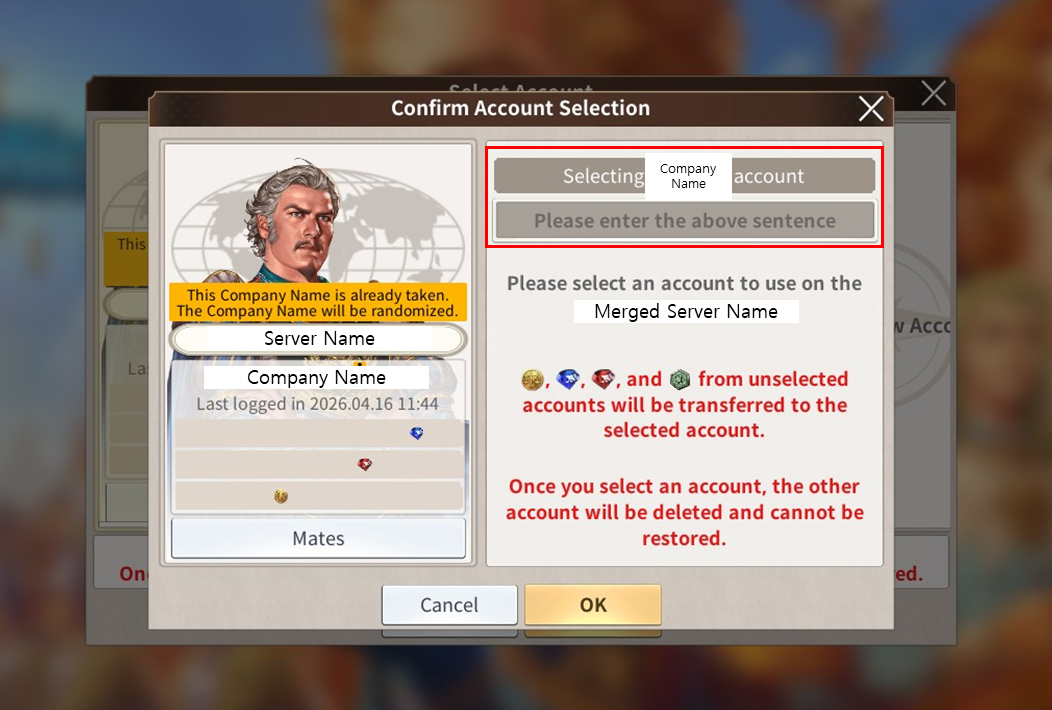
1. When you access the integrated Server, all characters you own on the existing Server will be displayed.
Please check the detailed information of the character you wish to use first.
If you select the wrong character, recovery may not be possible, so make sure to check ‘Mates’, ‘Server’, and ‘Company’.
* This popup will appear even if you have only one character.
* If duplicate Company names exist, a duplication notice will be displayed and the Company name will be changed randomly.
Please use the Company Name Change Ticket provided to your Storage upon login.
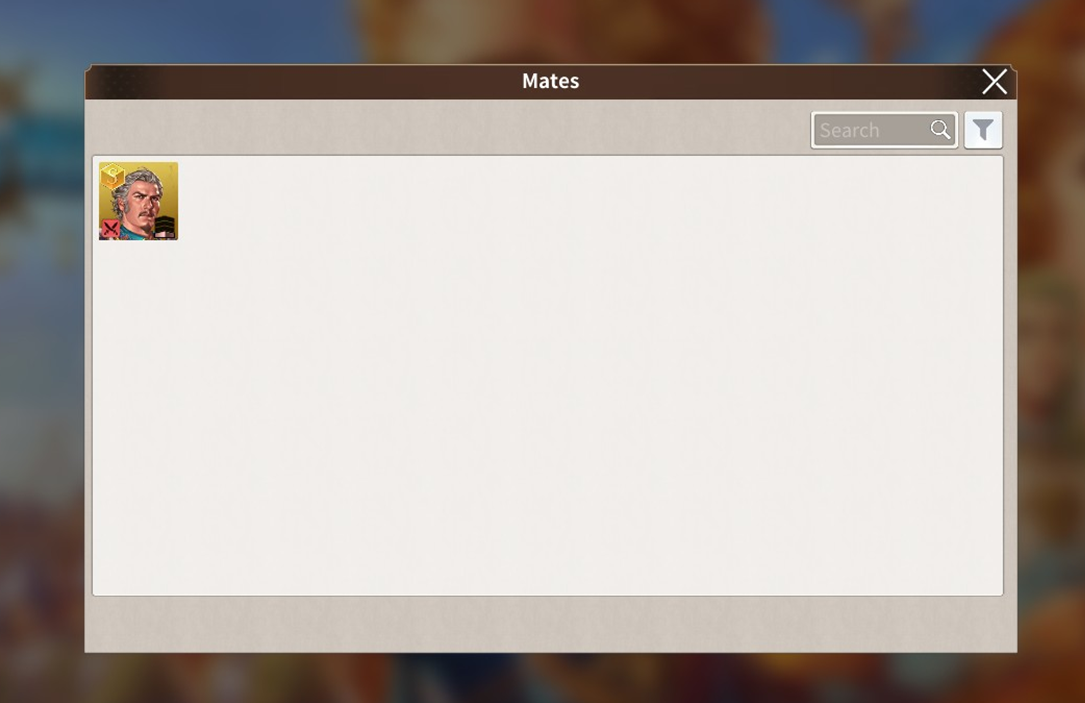
2. If you select ‘Mates’, you can view the full list of Mates owned by that character.
3. Once you have confirmed the character you wish to use, tap the Confirm button at the bottom.
Then, in the ‘Confirm Account Selection’ popup, enter the required confirmation text and tap Confirm to complete the selection.
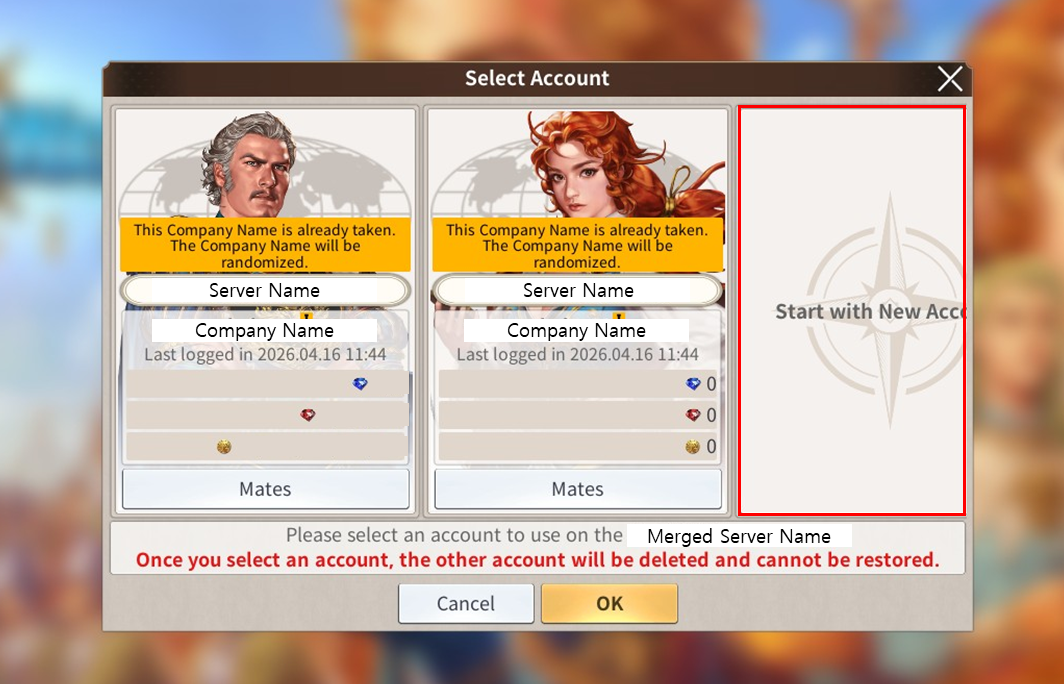
📌 If you want to start with a new account instead of an existing Account?
1. Select 'Start with New Account' from the account selection pop-up that appears when connecting to the merged server.
❗Please choose carefully, as starting with a new account will Deactivate all of your existing accounts, and recovery will not be possible.
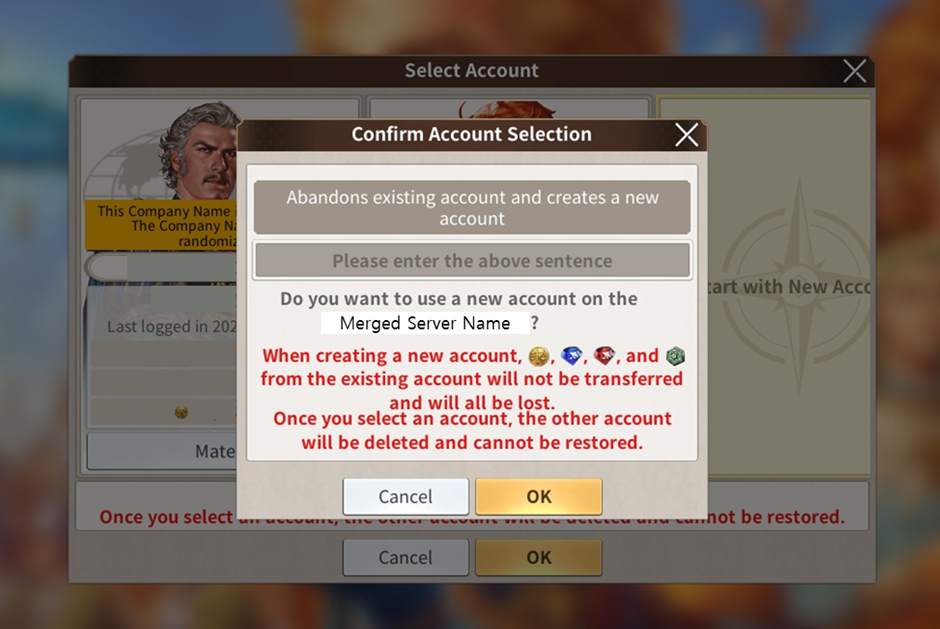
2. In the final Account Selection confirmation pop-up, enter the phrase "Abandons existing account and creates a new account"
and press the Confirm button to create a new account and proceed with the game.
* After this, changes or recovery are not possible even if you have existing characters.
We hope this server merge will be the start of an even more vibrant and enjoyable adventure for all Admirals.
Thank you.
Move to the Login page?
Move to the login page?
두줄일떄 텍스트
등록한 상품 바로가기(링크)두줄일떄 텍스트
등록한 상품 바로가기(링크)두줄일떄 텍스트
등록한 상품 바로가기(링크)Your Game ID (NID) can be found in your game profile or settings.